Exploring Some Bootable USB Tools: What are they different?
· Bootable USB, Tools, Installation
Wowah, this article may be useless as it hasn't been updated in over 2 years. XDD
Introduction
In the realm of modern computing, the humble USB drive has taken on an incredible new role: that of a portable operating system. Thanks to a collection of versatile tools known as bootable USB creators, you can now carry an entire operating system, recovery toolkit, or diagnostic suite in your pocket. Today, we’re going to dive into the world of bootable USB tools, exploring their features and functions. Whether you’re a Windows enthusiast or a dedicated Linux user, we’ve got you covered.
Rufus: The Popular choice
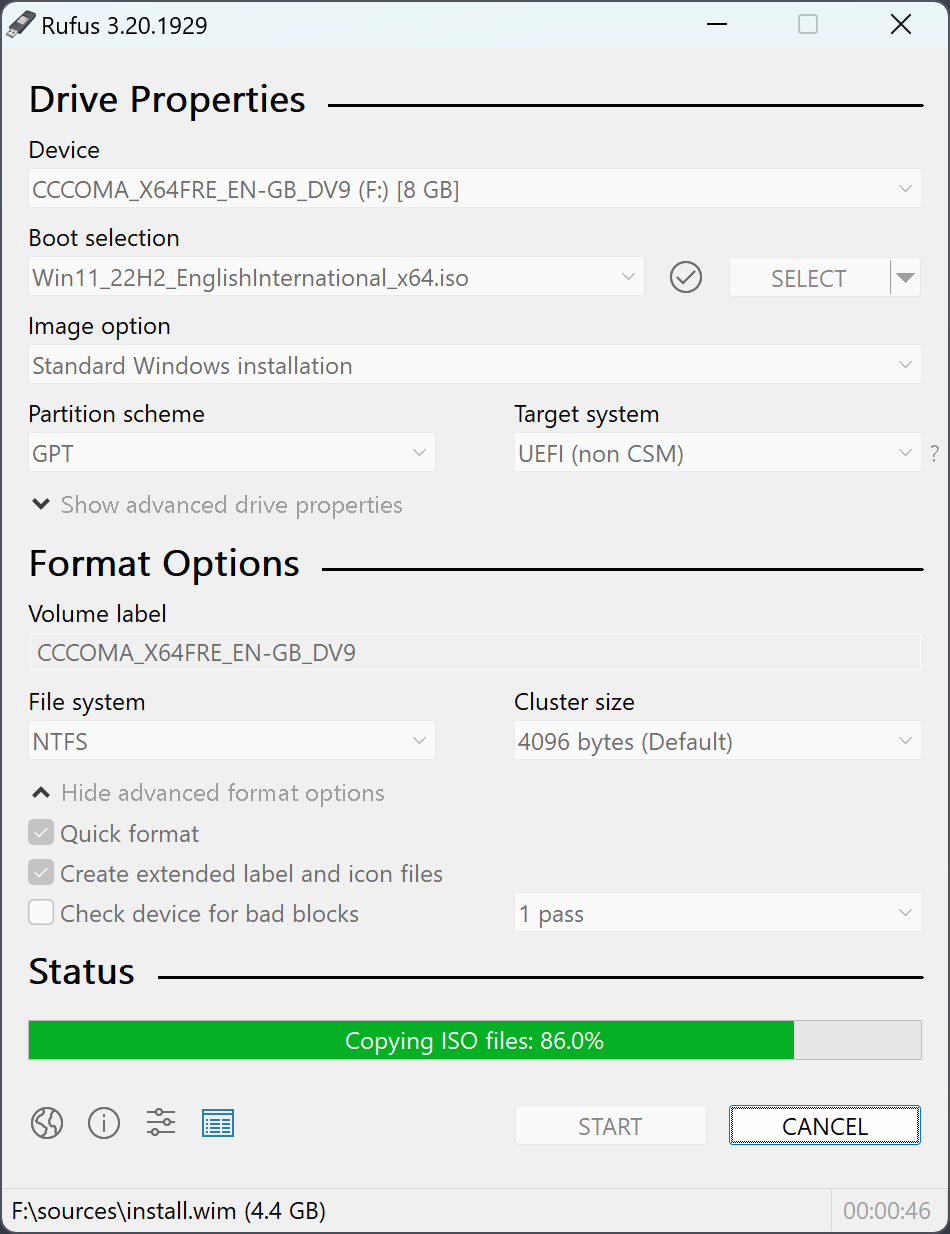
Rufus is a well-known and highly regarded bootable USB tool, primarily designed for Windows users. It’s known for its simplicity, speed, and reliability. Here’s what makes Rufus stand out:
-
Speed: Rufus is known for its blazing-fast write speeds. It efficiently burns ISO images onto USB drives, making it ideal for quickly creating bootable media.
-
Compatibility: While this is a Windows only tool, Rufus does a great job of handling Linux distributions as well. It can handle various image formats, including ISO, DD, and more.
-
Partition Schemes: Rufus supports multiple partition schemes, including MBR (Master Boot Record) and GPT (GUID Partition Table), allowing you to create bootable media for both legacy BIOS and modern UEFI systems.
-
Open source: Rufus is an free and open source software, you can visit code on here
YUMI: Your Multiboot Solution
YUMI (Your Universal Multiboot Installer) is another valuable tool in the bootable USB arsenal. It excels at creating multiboot USB drives, making it possible to carry multiple operating systems or tools on a single USB stick. Here’s why YUMI is popular:
-
Multiboot Support: YUMI’s standout feature is its ability to create a multiboot USB drive. This means you can have several Linux distributions, Windows installations, and diagnostic tools all on one USB stick.
-
Persistence: YUMI supports creating persistent partitions, which allow you to save changes and data across reboots. This is particularly useful for creating portable Linux installations.
-
User-Friendly: YUMI’s interface is user-friendly and easy to navigate, making it a great choice for those new to creating bootable USB drives.
-
Open source: YUMI is an free and open source software. since YUMI are not store source-code on git place, only can download from official page. Here

BalenaEtcher: Cross-Platform Tools
BalenaEtcher, often simply referred to as Etcher, stands out as a cross-platform bootable USB tool. Whether you’re using macOS, Linux, or Windows, Etcher has you covered. Here’s why it’s worth considering:
-
Cross-Platform: Etcher supports macOS, Linux, and Windows, making it an excellent choice for users who work across multiple operating systems.
-
User-Friendly: Etcher boasts a clean and intuitive interface, making it easy for beginners and experienced users alike. It’s a “one-click” solution for creating bootable USB drives.
-
SD Card Support: In addition to USB drives, Etcher can also write images to SD cards, which is handy for creating bootable cards for Raspberry Pi and other single-board computers.
-
Security: Etcher ensures data integrity by verifying written data, reducing the chances of corrupted bootable media.

In Conclusion
When it comes to creating bootable USB drives, the choice of tools is diverse. While Rufus is an excellent choice for Windows users looking for speed and reliability, YUMI excels at creating multiboot USB drives, offering versatility to carry various operating systems and tools on a single drive. On the other hand, BalenaEtcher stands out for its cross-platform support and user-friendly interface.